Clock Synchronization Configuration
Clock Synchronization configuration involves global and interface-level settings.
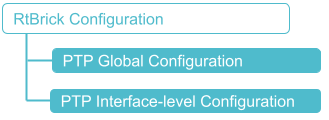
Global Configuration
These commands configure the global clock Synchronization settings for the system.
Syntax:
Attribute Description:
| Attribute | Description | ||
|---|---|---|---|
|
Enables ITU-T G.8275.1 clock profile for PTP.
|
||
|
Configures the PTP clock to operate in slave or boundary mode. slave: The device synchronizes its local clock to an upstream master. boundary:The device acts as both a slave (upstream) and a master (downstream), relaying and conditioning timing information. |
||
|
Enables two-step PTP synchronization in which the device’s PTP clock to use two-step synchronization rather than one-step synchronization. In two-step synchronization mode, the device first sends a Sync message, captures the exact hardware transmission timestamp, and then immediately sends that timestamp in a separate Follow_Up message. |
||
|
Enables one-PPS output with TOD functionality. When enabled, the device outputs a 1PPS signal with ToD information via the RJ45 port, providing a means to verify that the clock is correctly frequency-locked and phase-aligned. |
The example below shows the configuration for enabling PTP (Precision Time Protocol) in slave mode using the g8275.1 profile.
set system ptp clock g8275.1 mode slave
supervisor@rtbrick.net: cfg> show config system ptp
{
  "rtbrick-config:ptp": {
    "clock": [
      {
        "profile": "g8275.1",
        "mode": "slave"
      }
    ]
  }
}
The example below shows the configuration for enabling PTP (Precision Time Protocol) in boundary mode using the g8275.1 profile.
set system ptp clock g8275.1 mode boundary
supervisor@rtbrick.net: cfg> show config system ptp
{
  "rtbrick-config:ptp": {
    "clock": [
      {
        "profile": "g8275.1",
        "mode": "boundary"
      }
    ]
  }
}
Interface-level Configuration
These commands enable and configure PTP on specific network interfaces.
Syntax:
set interface <interface-name> <attribute> <value>
| Attribute | Description |
|---|---|
|
Name of the network interface. |
|
Enables (true) clock synchronization for the specified interface |
|
Enables (true) synchronous Ethernet for the specified interface |
|
Defines the source for the ESMC messages to be output by the interface. |
|
Sets the base configuration for how the interface communicates quality levels (QL) via ESMC to downstream devices. |
|
Configures the interface to advertise a "Do Not Use" (DNU) quality level, effectively preventing downstream devices from using this interface as a timing source. |
After the clock module is enabled and the clock is configured on the device, you can enable ptp, synce, and synce esmc on the network interface.
The following configuration enables PTP on the network interface named "ifp-0/1/66".
set interface ifp-0/1/66
set interface ifp-0/1/66 ptp enable true
supervisor@rtbrick.net: cfg> show config interface ifp-0/1/66
{
  "rtbrick-config:interface": [
    {
      "name": "ifp-0/1/66",
      "ptp": {
        "enable": "true"
      }
    }
  ]
}
The following configuration enables synce on the network interface named "ifp-0/1/66".
set interface ifp-0/1/66
set interface ifp-0/1/66 sync enable true
supervisor@rtbrick.net: cfg> show config interface ifp-0/1/66
{
  "rtbrick-config:interface": [
    {
      "name": "ifp-0/1/66",
      "sync": {
        "enable": "true"
      }
    }
  ]
}
The following configuration enables synce esmc on the network interface named "ifp-0/1/66".
set interface ifp-0/1/66
set interface ifp-0/1/66 sync synce esmc true
supervisor@rtbrick.net: cfg> show config interface ifp-0/1/66
{
  "rtbrick-config:interface": [
    {
      "name": "ifp-0/1/66",
      "sync": {
        "esmc": "true"
      }
    }
  ]
}
PTP and SyncE ESMC Destination MAC Configuration
You can configure the destination MAC for outgoing SyncE ESMC and PTP packets. The following CLI commands allow you to configure the destination MAC address for SyncE ESMC packets.
Syntax:
| Attribute | Description | ||
|---|---|---|---|
|
Specifies the destination MAC address for outgoing SyncE and PTP packets.
|
The following example sets the destination MAC address for SyncE ESMC packets to 01:80:C2:00:00:02.
set system synce esmc destination-mac-address 01:80:C2:00:00:02
{
  "rtbrick-config:system": {
    "synce": {
      "esmc": {
        "destination-mac-address": "01:80:C2:00:00:02"
      }
    }
  }
}
The following example sets the destination MAC address for PTP packets to 01:1B:19:00:00:00.
set system ptp global destination-mac-address 01:1B:19:00:00:00
{
  "rtbrick-config:system": {
    "ptp": {
      "global": {
        "destination-mac-address": "01:1B:19:00:00:00"
      }
    }
  }
}
Configuring SyncE Input Source for PTP Interfaces
You can configure whether a specific PTP interface serves as the physical frequency input source for SyncE.
Syntax:
| Attribute | Description |
|---|---|
|
Specifies whether the PTP interface is used as the physical SyncE frequency input source. Set to enable to use the interface as the SyncE input source, or disable to stop using it as the SyncE input source. By default, this is enabled. |