Logging Operational Commands
The logging operational commands provide information about the logging operations. They are used to show logs in the system, log configuration status and so on.
BDS Logging
The BDS logging show commands provide information about the BDS logging operations. With the BDS logging operational commands, you can verify BDS logging configuration status and view BDS logs.
Verifying BDS Logging Configuration Status
Show Log Status
This command shows log configuration status for all modules except infrastructure modules in all BDs. The default show log status displays the summary of log status for the whole system and there are options available to show specific module or BD log status.
Syntax:
| Option | Description |
|---|---|
|
Without any option, the command displays the log configuration status for all modules except infrastructure modules in all BDs. |
|
Displays log status of the all modules including infrastructure in the specified BD. |
|
Displays the log configuration status in detail all the way till log IDs. |
|
Displays the log status for a given module in all BDs where this module is running. |
Example 1: Summary of log status for all modules
supervisor@rtbrick: cfg> show log status
Module log status:
  access_service:
    access.serviced:
      Level: error, Plugin: None, Plugin Level: none
      Log group status:
        Group                    Level          Plugin      Plugin Level   Rate limit
        general                  error          None        none           10
        generic                  error          None        none           10
    confd:
      Level: error, Plugin: None, Plugin Level: none
      Log group status:
        Group                    Level          Plugin      Plugin Level   Rate limit
        general                  error          None        none           10
        generic                  error          None        none           10
  bcm_q2c:
    fibd:
      Level: error, Plugin: None, Plugin Level: none
      Log group status:
        Group                    Level          Plugin      Plugin Level   Rate limit
        bds                      error          None        none           10
        config                   error          None        none           10
        ecmp                     error          None        none           10
        general                  error          None        none           10
        generic                  error          None        none           10
        ifl                      error          None        none           10
        l2tp                     error          None        none           10
        l2x                      error          None        none           10
        li                       error          None        none           10
        port                     error          None        none           10
        pppoe                    error          None        none           10
        qos                      error          None        none           10
    confd:
      Level: error, Plugin: None, Plugin Level: none
      Log group status:
        Group                    Level          Plugin      Plugin Level   Rate limit
        bds                      error          None        none           10
        config                   error          None        none           10
        ecmp                     error          None        none           10
        general                  error          None        none           10

<...>
Example 2: Summary of log status for the specified module
supervisor@rtbrick: cfg>  show log status module bgp
Module log status:
  bgp:
    bgp.iod.1:
      Level: error, Plugin: None, Plugin Level: none
      Log group status:
        Group                    Level          Plugin        Plugin Level   Rate limit
        config                   error          None          none           10
        flowspec                 error          None          none           10
        general                  error          None          none           10
        generic                  error          None          none           10
        instance                 error          None          none           10
        interface                error          None          none           10
        message                  error          None          none           10
        peer                     error          None          none           10
        validation               error          None          none           10
    bgp.appd.1:
      Level: error, Plugin: None, Plugin Level: none
      Log group status:
        Group                    Level          Plugin        Plugin Level   Rate limit
        config                   error          None          none           10
        flowspec                 error          None          none           10
        general                  error          None          none           10
        generic                  error          None          none           10
        instance                 error          None          none           10
        interface                error          None          none           10

<...>
Example 3: Log status of all modules including infrastructure in the specified BD.
supervisor@rtbrick: cfg> show log status bd bgp.appd.1
System/File log status:
  Level: notice

Module log status:
  bd:
    Level: notice, Plugin: None, Plugin Level: none
    Log group status:
      Group                    Level          Plugin        Level          Rate limit
      dns-resolver             notice         None          none           10
      generic                  notice         None          none           10
      http                     notice         None          none           10
      service-launch           notice         None          none           10
      udp                      notice         None          none           10
  bds:
    Level: none, Plugin: None, Plugin Level: none
    Log group status:
      Group                    Level          Plugin        Level          Rate limit
      generic                  none           None          none           10
      object                   none           None          none           10
      table                    none           None          none           10
      trim                     none           None          none           10
  bgp:
    Level: error, Plugin: None, Plugin Level: none
    Log group status:
      Group                    Level          Plugin        Level          Rate limit
      config                   error          None          none           10
      flowspec                 error          None          none           10
      general                  error          None          none           10
      generic                  error          None          none           10
Example 4: Log status for the specified module in the specified BD
supervisor@rtbrick: cfg>  show log status module bgp bd bgp.appd.1
Module log status:
  bgp:
    bgp.appd.1:
      Level: error, Plugin: None, Plugin Level: none
      Log group status:
        Group                    Level          Plugin         Plugin Level   Rate limit
        config                   error          None           none           10
        flowspec                 error          None           none           10
        general                  error          None           none           10
        generic                  error          None           none           10
        instance                 error          None           none           10
        interface                error          None           none           10
        message                  error          None           none           10
        peer                     error          None           none           10
        validation               error          None           none           10
Example 5: Detailed Log status for the specified module in the specified BD
supervisor@rtbrick>ufi17.q2c.u34.r6.nbg.rtbrick.net: op> show log status bd bgp.appd.1 detail
System/File log status:
  Level: notice

Module log status:
  bd:
    Level: notice, Plugin: None, Plugin Level: none
    Log group status:
      dns-resolver, Level: notice, Plugin: None, Plugin Level: none, Rate limit: 10
     Log ID status:
        LOG ID                                                                Level          Plugin      Level          Rate limit
        BD_UV_DNS_TEMPLATE_MISSING_CB                                         notice         None        none           10
        BD_UV_GETNAMEINFO_FAILED                                              notice         None        none           10
      generic, Level: notice, Plugin: None, Plugin Level: none, Rate limit: 10
      http, Level: notice, Plugin: None, Plugin Level: none, Rate limit: 10
     Log ID status:
        LOG ID                                                                Level          Plugin      Level          Rate limit
        HTTP_CLIENT_REQUEST_LOG                                               notice         None        none           10
        HTTP_JWK_FILE_JSON_PARSE_FAILED                                       notice         None        none           10
        HTTP_JWK_FILE_MEM_ALLOC_FAILED                                        notice         None        none           10
        HTTP_JWK_FILE_MISSING                                                 notice         None        none           10
        HTTP_JWK_FILE_OPEN_FAILED                                             notice         None        none           10
        HTTP_JWK_FILE_READ_FAILED                                             notice         None        none           10
        HTTP_JWK_MISSING_KEY                                                  notice         None        none           10
        HTTP_JWK_MULTIPLE_KEYS                                                notice         None        none           10
        HTTP_RESP_INSUFFICIENT_BUFFER                                         notice         None        none           10
        HTTP_SEND                                                             notice         None        none           10
        HTTP_WRITE_BUFFER_MEM_ALLOC_FAILED                                    notice         None        none           10
        HTTP_WRITE_PRINTF_FAILED                                              notice         None        none           10
      service-launch, Level: notice, Plugin: None, Plugin Level: none, Rate limit: 10
     Log ID status:
        LOG ID                                                                Level          Plugin      Level          Rate limit
        BD_SERVICE_RESTART                                                    notice         None        none           10
        BD_SERVICE_RESTART_FAILED                                             notice         None        none           10
        BD_SERVICE_START                                                      notice         None        none           10
        BD_SERVICE_START_FAILED                                               notice         None        none           10
        BD_SERVICE_START_REQUEST                                              notice         None        none           10
        BD_SERVICE_STOP                                                       notice         None        none           10
        BD_SERVICE_STOP_FAILED                                                notice         None        none           10
        BD_SERVICE_STOP_REQUEST                                               notice         None        none           10
      udp, Level: notice, Plugin: None, Plugin Level: none, Rate limit: 10
     Log ID status:
        LOG ID                                                                Level          Plugin      Level          Rate limit

<...>
Viewing BDS Logs
Show Log
This command shows BDS logs in the log tables. By default, the command show log shows all logs present in the log tables. Various command options are available to filter and display logs. Also, a command option is available to send logs into a file.
Syntax:
| Option | Description |
|---|---|
|
Without any option, the command displays all logs present in the log tables. |
|
Render output of the log can be filtered for the specified module or the log level. You can specify filter level or module with any of the |
|
Choose any of the three formats: abstract, summary, or detailed. This command provides output in the specified output format. You can specify any of the options at end of any of the Abstract: Shows logs without metadata |
|
Displays logs from a specified log table. Every BD includes multiple log tables. By default, log will be rendered from every log table, if not specified. |
|
Name of the file in which logs are transported. You can specify |
status <bd> <detail> <module> |
Displays log configuration status for the specified BD and module. For more information about log configuration status, see the show log status section. |
Example 1: Summary view of all logs
supervisor@rtbrick: op> show log
[  Notice  ] <2026-03-12T03:38:04.398631+0000> Launch service rtbrick-lldpd, PID 360
[  Notice  ] <2026-03-12T03:38:04.402222+0000> Launch service rtbrick-policy.server, PID 363
[  Notice  ] <2026-03-12T03:38:04.455178+0000> Launch service rtbrick-isis.iod.1, PID 358
[  Notice  ] <2026-03-12T03:38:04.660866+0000> Launch service rtbrick-alertmanager, PID 427
[  Notice  ] <2026-03-12T03:38:05.056040+0000> Launch service rtbrick-ribd, PID 467
[  Notice  ] <2026-03-12T03:38:05.145494+0000> Launch service rtbrick-natd, PID 461
[  Notice  ] <2026-03-12T03:38:05.187485+0000> Launch service rtbrick-mribd, PID 458
[  Notice  ] <2026-03-12T03:38:05.269473+0000> Launch service rtbrick-ifmd, PID 438
[  Notice  ] <2026-03-12T03:38:05.290800+0000> Launch service rtbrick-access.serviced, PID 424
[  Notice  ] <2026-03-12T03:38:05.299252+0000> Launch service rtbrick-bgp.iod.1, PID 434
[  Error   ] <2026-03-12T03:38:05.331521+0000> Failed to launch service rtbrick-fibd
[  Error   ] <2026-03-12T03:38:05.331552+0000> Failed to launch service rtbrick-staticd
[  Error   ] <2026-03-12T03:38:05.331569+0000> Failed to launch service rtbrick-ldp.iod.1
[  Error   ] <2026-03-12T03:38:05.333749+0000> Failed to launch service rtbrick-prometheus
[  Alert   ] <2026-03-12T03:38:14.241096+0000> ISIS instance default, level 1, exit, overload state
[  Alert   ] <2026-03-12T03:38:14.241144+0000> ISIS instance default, level 2, exit, overload state
[  Alert   ] <2026-03-12T03:40:14.225193+0000> ISIS neighbor 0204.0000.0001.00, discovered, interface ifl-0/1/26/10, instance default
[  Alert   ] <2026-03-12T03:40:14.430759+0000> ISIS neighbor 0204.0000.0001.00, interface ifl-0/1/26/10, instance default, changed state from Down, to Up, reason
[  Alert   ] <2026-03-12T05:51:06.607357+0000> ISIS neighbor 0204.0000.0001.00, interface ifl-0/1/26/10, instance default, changed state from Up, to Down, reason Level mismatch
[  Alert   ] <2026-03-12T03:40:21.973756+0000> BGP FSM change, peer 192.168.0.60, source 192.168.200.1, hostname -, instance default changed state from Idle to Established, reason None
[  Alert   ] <2026-03-12T03:40:21.974020+0000> BGP FSM change, peer 192.168.0.40, source 192.168.200.1, hostname -, instance default changed state from Idle to Established, reason None
[  Alert   ] <2026-03-12T03:40:21.974234+0000> BGP FSM change, peer 192.168.0.10, source 192.168.200.1, hostname -, instance default changed state from Idle to Established, reason None
[  Alert   ] <2026-03-12T03:40:31.756912+0000> BGP FSM change, peer 192.168.0.30, source 192.168.200.1, hostname -, instance default changed state from Idle to Established, reason None

<...>
Example 2: Summary view for the specified log table
supervisor@rtbrick: op> show log table bd.confd.log
[  Notice  ] <2026-03-12T03:38:04.398631+0000> Launch service rtbrick-lldpd, PID 360
[  Notice  ] <2026-03-12T03:38:04.402222+0000> Launch service rtbrick-policy.server, PID 363
[  Notice  ] <2026-03-12T03:38:04.455178+0000> Launch service rtbrick-isis.iod.1, PID 358
[  Notice  ] <2026-03-12T03:38:04.660866+0000> Launch service rtbrick-alertmanager, PID 427
[  Notice  ] <2026-03-12T03:38:05.056040+0000> Launch service rtbrick-ribd, PID 467
[  Notice  ] <2026-03-12T03:38:05.145494+0000> Launch service rtbrick-natd, PID 461
[  Notice  ] <2026-03-12T03:38:05.187485+0000> Launch service rtbrick-mribd, PID 458
[  Notice  ] <2026-03-12T03:38:05.269473+0000> Launch service rtbrick-ifmd, PID 438
[  Notice  ] <2026-03-12T03:38:05.290800+0000> Launch service rtbrick-access.serviced, PID 424
[  Notice  ] <2026-03-12T03:38:05.299252+0000> Launch service rtbrick-bgp.iod.1, PID 434
[  Error   ] <2026-03-12T03:38:05.331521+0000> Failed to launch service rtbrick-fibd
[  Error   ] <2026-03-12T03:38:05.331552+0000> Failed to launch service rtbrick-staticd
[  Error   ] <2026-03-12T03:38:05.331569+0000> Failed to launch service rtbrick-ldp.iod.1
[  Error   ] <2026-03-12T03:38:05.333749+0000> Failed to launch service rtbrick-prometheus
Example 3: Summary view of specified filters on all logs from a single table
supervisor@rtbrick: op> show log table bd.confd.log filter level error
[  Error   ] <2026-03-12T03:38:05.331521+0000> Failed to launch service rtbrick-fibd
[  Error   ] <2026-03-12T03:38:05.331552+0000> Failed to launch service rtbrick-staticd
[  Error   ] <2026-03-12T03:38:05.331569+0000> Failed to launch service rtbrick-ldp.iod.1
[  Error   ] <2026-03-12T03:38:05.333749+0000> Failed to launch service rtbrick-prometheus
Example 4: Exporting logs to a file
supervisor@rtbrick: op> show log filter level notice to file test.log
supervisor@rtbrick: op> exit
supervisor@rtbrick.net:~ $ cat test.log
[  notice  ] <2026-03-16T05:36:56.169781+0000> Launch service rtbrick-mribd, PID 284
[  notice  ] <2026-03-16T05:36:56.277098+0000> Launch service rtbrick-ribd, PID 287
[  notice  ] <2026-03-16T05:36:56.306515+0000> Launch service rtbrick-staticd, PID 290
[  notice  ] <2026-03-16T05:36:56.328865+0000> Launch service rtbrick-lldpd, PID 280
[  notice  ] <2026-03-16T05:36:56.376332+0000> Launch service rtbrick-ifmd, PID 302
[  notice  ] <2026-03-16T05:36:56.403797+0000> Launch service rtbrick-fibd, PID 321
[  notice  ] <2026-03-16T05:49:59.336664+0000> Launch service rtbrick-bgp.appd.1, PID 1994
[  notice  ] <2026-03-16T05:49:59.359383+0000> Launch service rtbrick-policy.server, PID 1992
[  notice  ] <2026-03-16T05:49:59.365660+0000> Launch service rtbrick-bgp.iod.1, PID 1999
[  notice  ] <2026-03-17T08:56:07.499717+0000> Terminate service rtbrick-lldpd
[  notice  ] <2026-03-17T08:56:07.501850+0000> Terminate service rtbrick-staticd
[  notice  ] <2026-03-17T08:56:07.514291+0000> Terminate service rtbrick-ribd
[  notice  ] <2026-03-17T08:56:07.516413+0000> Terminate service rtbrick-mribd
[  notice  ] <2026-03-17T08:56:07.518526+0000> Terminate service rtbrick-ifmd
[  notice  ] <2026-03-17T08:56:08.164563+0000> Terminate service rtbrick-fibd
[  notice  ] <2026-03-17T09:08:33.530553+0000> Launch service rtbrick-ribd, PID 33003
[  notice  ] <2026-03-17T09:08:33.530618+0000> Launch service rtbrick-staticd, PID 33013
[  notice  ] <2026-03-17T09:08:33.549244+0000> Launch service rtbrick-mribd, PID 33000
[  notice  ] <2026-03-17T09:08:33.551369+0000> Launch service rtbrick-lldpd, PID 32997
[  notice  ] <2026-03-17T09:08:33.568128+0000> Launch service rtbrick-ifmd, PID 33027
[  notice  ] <2026-03-17T09:08:33.570244+0000> Launch service rtbrick-fibd, PID 33047
Example 5: Summary of the logs in an abstract format
supervisor@rtbrick: op> show log filter level notice format abstract
Launch service rtbrick-mribd, PID 284
Launch service rtbrick-ribd, PID 287
Launch service rtbrick-staticd, PID 290
Launch service rtbrick-lldpd, PID 280
Launch service rtbrick-ifmd, PID 302
Launch service rtbrick-fibd, PID 321
Launch service rtbrick-bgp.appd.1, PID 1994
Launch service rtbrick-policy.server, PID 1992
Launch service rtbrick-bgp.iod.1, PID 1999
Terminate service rtbrick-lldpd
Terminate service rtbrick-staticd
Terminate service rtbrick-ribd
Terminate service rtbrick-mribd
Terminate service rtbrick-ifmd
Terminate service rtbrick-fibd
Launch service rtbrick-ribd, PID 33003
Launch service rtbrick-staticd, PID 33013
Launch service rtbrick-mribd, PID 33000
Launch service rtbrick-lldpd, PID 32997
Launch service rtbrick-ifmd, PID 33027
Launch service rtbrick-fibd, PID 33047
Viewing RtBrick Host Log Files
RtBrick Host log files are available at the following directory:
CtrlD log files are available at:
/var/log/rtbrick-ctrld.log
Example: CtrlD Logs
supervisor@host>rtbrick.net:/var/log $ tail -10 rtbrick-ctrld-service-err.log
time=2026-03-17T10:31:09.180Z level=INFO msg="HTTP request completed" duration=20.690158ms remote_addr=127.0.0.1:51258 host=localhost:19091 method=GET path=/api/v1/ctrld/elements request_id=b0aa052b-1025-42a4-80c8-6939a1215f14 statuscode=200 user_name="" user_subject=""
time=2026-03-17T10:31:11.208Z level=INFO msg="HTTP request completed" duration=25.568185ms remote_addr=127.0.0.1:51258 host=localhost:19091 method=GET path=/api/v1/ctrld/elements request_id=bc1d8a4b-00bb-4a7e-ba5d-f0f21e90daf4 statuscode=200 user_name="" user_subject=""
time=2026-03-17T10:31:13.120Z level=INFO msg="HTTP request completed" duration=114.53µs remote_addr=[::1]:33328 host=localhost:19091 method=PUT path=/api/v1/ctrld/services/hostconfd request_id=f7502b3f-553e-43ed-a08d-83d0f96e49a7 statuscode=202 user_name="" user_subject=""
time=2026-03-17T10:31:13.198Z level=INFO msg="HTTP request completed" duration=21.763434ms remote_addr=127.0.0.1:51258 host=localhost:19091 method=GET path=/api/v1/ctrld/elements request_id=f08d3f11-3777-4bdb-84df-e7694e66add5 statuscode=200 user_name="" user_subject=""
time=2026-03-17T10:31:15.220Z level=INFO msg="HTTP request completed" duration=19.73206ms remote_addr=127.0.0.1:51258 host=localhost:19091 method=GET path=/api/v1/ctrld/elements request_id=e01a55d1-c499-4919-9823-4c0256dd92aa statuscode=200 user_name="" user_subject=""
time=2026-03-17T10:31:17.248Z level=INFO msg="HTTP request completed" duration=25.172204ms remote_addr=127.0.0.1:51258 host=localhost:19091 method=GET path=/api/v1/ctrld/elements request_id=9602dd0f-495e-4db8-9692-911d895a233d statuscode=200 user_name="" user_subject=""
time=2026-03-17T10:31:19.193Z level=INFO msg="HTTP request completed" duration=17.26797ms remote_addr=127.0.0.1:51258 host=localhost:19091 method=GET path=/api/v1/ctrld/elements request_id=7f0608b7-79c2-4cc3-82d2-e1346e586139 statuscode=200 user_name="" user_subject=""
time=2026-03-17T10:31:21.222Z level=INFO msg="HTTP request completed" duration=26.168232ms remote_addr=127.0.0.1:51258 host=localhost:19091 method=GET path=/api/v1/ctrld/elements request_id=2e4f6cf0-e665-4d6a-93b5-7231ea0af4f3 statuscode=200 user_name="" user_subject=""
time=2026-03-17T10:31:23.201Z level=INFO msg="HTTP request completed" duration=22.866541ms remote_addr=127.0.0.1:51258 host=localhost:19091 method=GET path=/api/v1/ctrld/elements request_id=1df66f99-cb9f-44ad-9939-3f20c9ba7aa5 statuscode=200 user_name="" user_subject=""
time=2026-03-17T10:31:25.230Z level=INFO msg="HTTP request completed" duration=27.259082ms remote_addr=127.0.0.1:51258 host=localhost:19091 method=GET path=/api/v1/ctrld/elements request_id=cd8b9c37-ffd6-41ca-8260-06f209d027ac statuscode=200 user_name="" user_subject=""
ApiGwD log files are available at:
/var/log/rtbrick-apigwd.log
Example: API Gateway Logs
supervisor@host>rtbrick.net:/var/log $ cat  rtbrick-apigwd-service-err.log
time=2026-03-17T08:43:00.162Z level=INFO msg="watching for file change" file=/etc/rtbrick/apigwd/config.json
time=2026-03-17T08:43:00.164Z level=INFO msg="Added ip address to the key" ip=127.0.0.1
time=2026-03-17T08:43:00.164Z level=INFO msg="Added ip address to the key" ip=10.0.3.1
time=2026-03-17T08:43:00.164Z level=INFO msg="Added ip address to the key" ip=::1
time=2026-03-17T08:43:00.164Z level=INFO msg="Added ip address to the key" ip=fe80::5e07:58ff:fea2:ce5e
time=2026-03-17T08:43:01.309Z level=INFO msg="Generated new TLS key" file=/etc/rtbrick/apigwd/tls.pem
time=2026-03-17T08:43:01.315Z level=INFO msg="certificate and key loaded"
time=2026-03-17T08:43:01.315Z level=INFO msg="watching for cert and key change"
time=2026-03-17T08:43:01.315Z level=INFO msg="Serve APIGWD Server" addr=[::]:12321
time=2026-03-17T08:43:53.782Z level=INFO msg="watch event" event="{Name:/etc/rtbrick/apigwd/config.json Op:2}"
time=2026-03-17T08:43:53.782Z level=INFO msg="reloaded request limiter config"
time=2026-03-17T08:43:53.782Z level=INFO msg="reloaded access config"
time=2026-03-17T08:43:53.940Z level=INFO msg="watch event: WRITE         \"/etc/rtbrick/apigwd/tls.pem\""
time=2026-03-17T08:43:53.942Z level=INFO msg="certificate and key loaded"
Viewing Logs in Graylog
For viewing your log data on Graylog, perform the following steps:
-
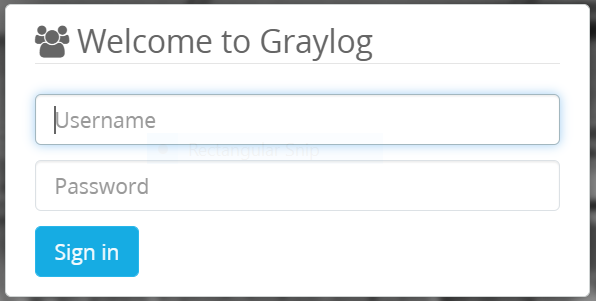
Open the Graylog webpage.
-
Log in using your user credentials.
-
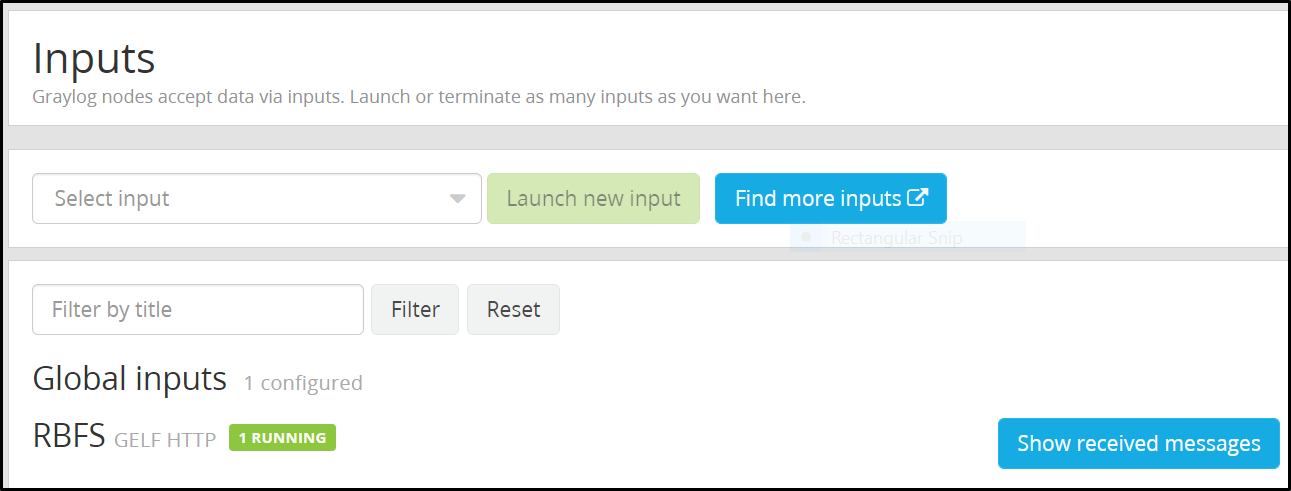
Click System and select Input.
-
Click the Show received message tab.
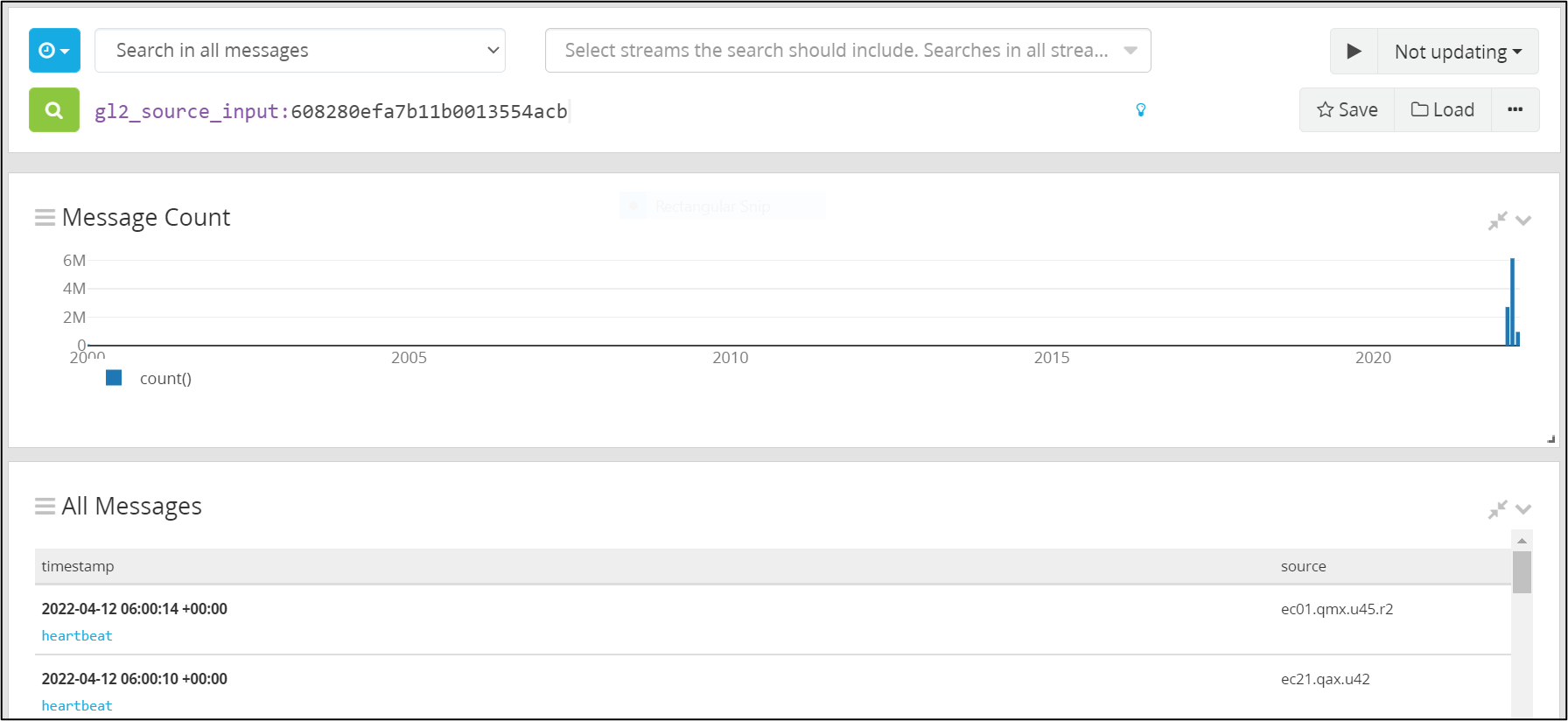
The log messages page appears.