Clock Synchronization Configuration
Clock Synchronization configuration involves global and interface-level settings.
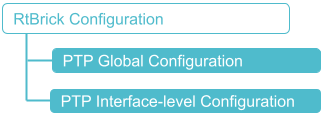
Global Configuration
These commands configure the global clock Synchronization settings for the system.
Syntax:
Attribute Description:
| Attribute | Description | ||
|---|---|---|---|
|
Enables ITU-T G.8275.1 clock profile for PTP.
|
||
|
Configures the PTP clock to operate in slave mode. |
The example below shows the configuration for enabling PTP (Precision Time Protocol) in slave mode using the g8275.1 profile.
set system ptp clock g8275.1
set system ptp clock g8275.1 mode slave
supervisor@rtbrick.net: cfg> show config system ptp
{
  "rtbrick-config:ptp": {
    "clock": [
      {
        "profile": "g8275.1",
        "mode": "slave"
      }
    ]
  }
}
Interface-level Configuration
These commands enable and configure PTP on specific network interfaces.
Syntax:
set interface <interface-name> <attribute> <value>
| Attribute | Description |
|---|---|
<interface-name> |
Name of the network interface. |
ptp enable true |
Enables (true) clock synchronization for the specified interface |
synce enable true |
Enables (true) synchronous Ethernet for the specified interface |
synce esmc true |
Enables (true) ESMC (Ethernet Synchronization Message Channel) for the specified interface |
After the clock module is enabled and the clock is configured on the device, you can enable ptp, synce, and synce esmc on the network interface.
The following configuration enables PTP on the network interface named "ifp-0/1/66".
set interface ifp-0/1/66
set interface ifp-0/1/66 ptp enable true
supervisor@rtbrick.net: cfg> show config interface ifp-0/1/66
{
  "rtbrick-config:interface": [
    {
      "name": "ifp-0/1/66",
      "ptp": {
        "enable": "true"
      }
    }
  ]
}
The following configuration enables synce on the network interface named "ifp-0/1/66".
set interface ifp-0/1/66
set interface ifp-0/1/66 sync enable true
supervisor@rtbrick.net: cfg> show config interface ifp-0/1/66
{
  "rtbrick-config:interface": [
    {
      "name": "ifp-0/1/66",
      "sync": {
        "enable": "true"
      }
    }
  ]
}
The following configuration enables synce esmc on the network interface named "ifp-0/1/66".
set interface ifp-0/1/66
set interface ifp-0/1/66 sync synce esmc true
supervisor@rtbrick.net: cfg> show config interface ifp-0/1/66
{
  "rtbrick-config:interface": [
    {
      "name": "ifp-0/1/66",
      "sync": {
        "esmc": "true"
      }
    }
  ]
}
PTP and SyncE ESMC Destination MAC Configuration
You can configure the destination MAC for outgoing SyncE ESMC and PTP packets. The following CLI commands allow you to configure the destination MAC address for SyncE ESMC packets.
Syntax:
| Attribute | Description | ||
|---|---|---|---|
|
Specifies the destination MAC address for outgoing SyncE and PTP packets.
|
The following example sets the destination MAC address for SyncE ESMC packets to 01:80:C2:00:00:02.
set system synce esmc destination-mac-address 01:80:C2:00:00:02
{
  "rtbrick-config:system": {
    "synce": {
      "esmc": {
        "destination-mac-address": "01:80:C2:00:00:02"
      }
    }
  }
}
The following example sets the destination MAC address for PTP packets to 01:1B:19:00:00:00.
set system ptp global destination-mac-address 01:1B:19:00:00:00
{
  "rtbrick-config:system": {
    "ptp": {
      "global": {
        "destination-mac-address": "01:1B:19:00:00:00"
      }
    }
  }
}